Bug: Subscription Reset, Could Not Enter App
Current Behavior
Today I opened the app and noticed the widget looked different than normal (see screenshot).
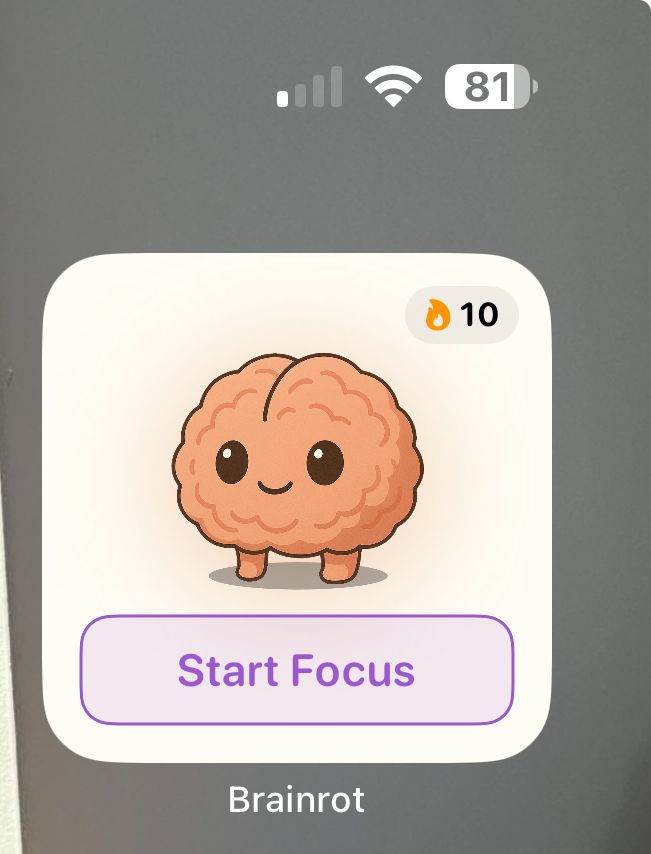
When I opened the app, it brought me to the interstitial asking me to purchase a subscription.
I already have an annual subscription, and I purchased it less than 2 months ago.
There was no way to enter the app and view my subscription history. I was completely blocked from viewing my account information by the “purchase subscription” page.
Workaround
I found an email from when I purchased the subscription that lets me manage my subscription. I was able to re-activate my subscription from there. However, the experience of having to reset my subscription information at all is a frustrating user experience.
Expected Behavior
Subscription information does NOT reset on a user’s device
If they have an active subscription set up, they never need to re-activate on the same device
Personal opinion: I think users should still be allowed to enter the app without an “active” subscription. The features can still be blocked, but that way they can see what the app is like and whether they would want to use it. Plus it would be easier to figure out how to manage subscriptions in the app I think.
Log in to comment and vote
Comments1
Aracelli Doescher
Apr 10
EDIT: This issue got even worse. I pressed “Detox” on accident through the new widget. I went to cancel the Detox, and the subscription interstitial popped up again. See video.
Eventually I cleared the page by:
Choosing a subscription option
Letting it take me to the Apple Pay screen
Canceling the Apple Pay
Somehow that let me back into the app. But this is incredibly annoying.
Also worth noting, there is no way to cancel the Detox time selection screen in the Widget. There should be a way to cancel.